
Chrome/Chromium companion extension that brings Starcat context to GitHub pages.
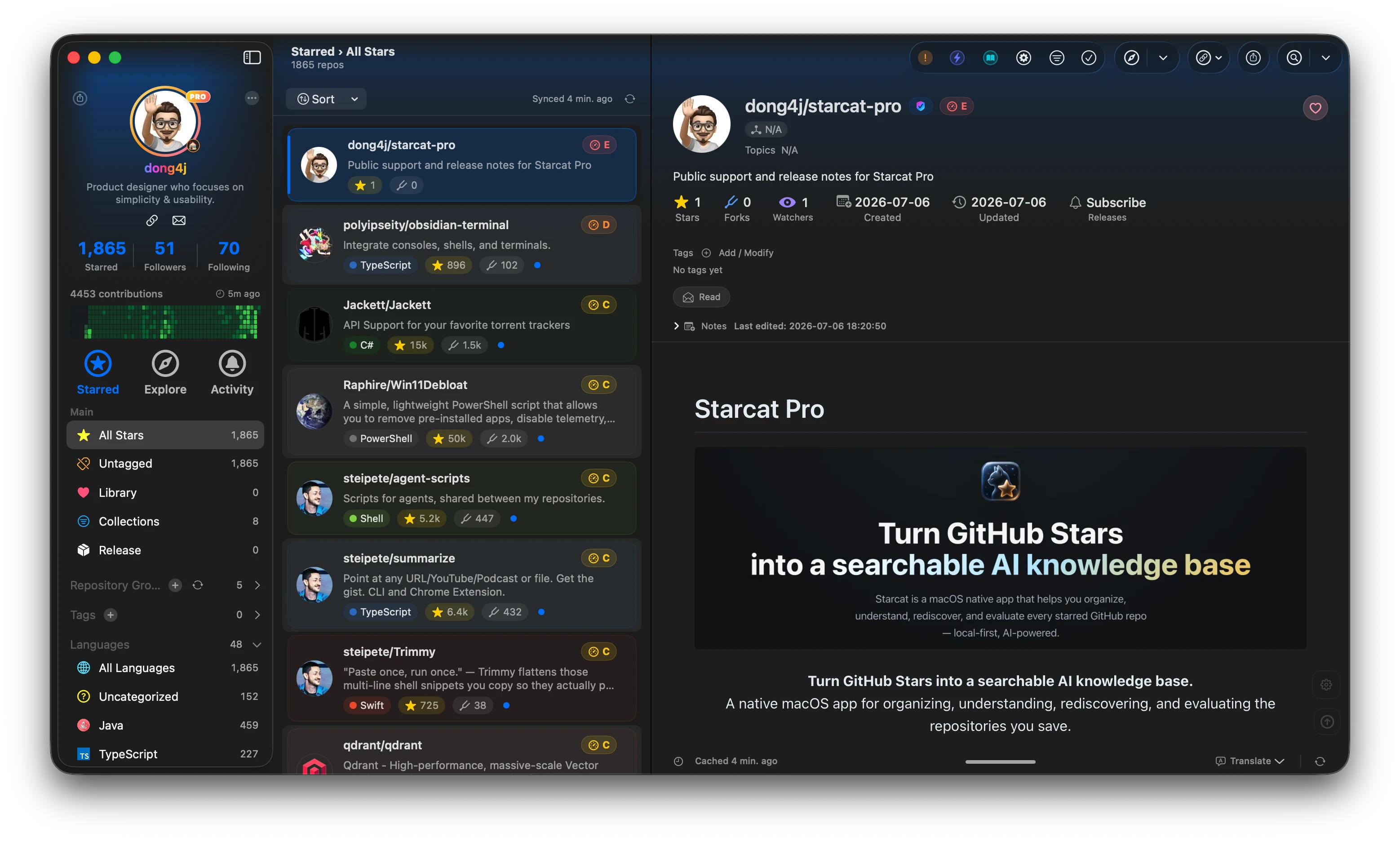
Starcat is a native macOS app that turns GitHub Stars into a searchable, organized and AI-assisted local knowledge base, with a broader ecosystem of desktop clients, plugins, CLI tools, and self-hostable services.



Preferred install method:
brew tap starcat-app/starcat
brew trust starcat-app/starcat
brew install --cask starcat
Useful links:
- Home and downloads: https://starcat.ink
- Mac App Store: search for Starcat for GitHub
- Public support: https://github.com/starcat-app/Starcat/issues · Release notes: https://starcat.ink/changelog.html
- Starcat App Homebrew tap: https://github.com/starcat-app/homebrew-starcat
- CLI / MCP: starcat-cli / Homebrew tap
- AI Agent Skill: https://github.com/starcat-app/starcat-skill
- Browser plugins: Chrome / Safari
- Launcher integrations: Alfred / uTools / Raycast
- Documentation: https://github.com/starcat-app/starcat-docs
- Website source: https://github.com/starcat-app/starcat-site
- Localization: https://github.com/starcat-app/starcat-localization
Self-hostable support APIs:
- starcat-sharing-api
- starcat-trending-api
- starcat-weekly-api
- starcat-wiki-api
- starcat-recommend-api
- starcat-discovery-api
Starcat Chrome Plugin enhances GitHub repository pages and Google search results with context already stored in Starcat. It can show local Starcat entry points and Health information for starred GitHub repositories without directly accessing the GitHub API, Starcat backends, OpenSSF, or an AI provider.
- Show similar repository recommendations on GitHub repository pages.
- Link to known Wiki providers.
- Read and save private Starcat notes.
- Display Health and OpenSSF scores cached by Starcat.
- Trigger CodeFlow and Codebase actions in the Starcat app.
- Add
Open in Starcatand Health badges to starred GitHub repositories in Google search results.
- Open
chrome://extensions/in Chrome. - Enable Developer mode.
- Click Load unpacked.
- Select
supports/extensions/starcat-chrome-plugin. - In Starcat, open Settings → Extensions & Connections → Browser Extensions and enable Browser Plugin Service.
- Click the extension's Connect to Starcat action to open its pairing tab, choose the discovered app, and click Connect.
- Compare the six digits in both windows and approve the matching request in Starcat.
The pairing tab stays open while switching to Starcat. Discovery checks the saved address and the single default address 127.0.0.1:5051; custom ports remain available in advanced settings. Discovery alone never requests approval. Manual Local API Key authentication remains available in full options.
Discovery has a five-second total budget, including Native Messaging and HTTP fallback. Each HTTP address probe has a 1.3-second limit; native discovery reserves the final 1.5 seconds for fallback. Pairing shows a countdown to the app's 120-second deadline, clears the code on expiry, and ignores late replies. Connection requests time out after five seconds and are never automatically replayed. Errors distinguish discovery timeout, rejection, expiry, connection timeout, and credential storage failure.
Use Use a Key to connect on the pairing page for manual authentication. Copy the Key from Starcat → Settings → Extensions & Connections → Browser Extensions → Local API Key. The same page shows the service address. Unpair an already paired browser before switching to a manual Key.
The background owns all Companion requests, pairing, device credentials, and event streams. With the optional macOS host installed using starcat browser-host install --extension-id <actual-extension-id>, Chrome connects through the CLI. Otherwise it uses the app's loopback HTTP service:
http://127.0.0.1:{port}/plugin/v1
Every business request requires:
Authorization: Bearer <browser-device-token-or-manual-key>
Pairing issues an independent revocable token, stored in extension-origin IndexedDB; content scripts receive business results, never new device tokens or pairing secrets. Starcat stores device names and pairing/access times. Unpair browser revokes server authorization; Clear locally only does not, and requires later revocation in Starcat when offline. Manual Keys are shared credentials and must be rotated in the app to invalidate them.
Native Messaging installation is optional, per user, and restricted to the exact extension ID. Reinstall the host after moving/upgrading the CLI. A failed native write is never retried over HTTP. Native discovery also uses finite loopback candidates, so it cannot find every arbitrary custom port.
| Path | Purpose |
|---|---|
manifest.json |
Chrome MV3 entry manifest. |
LICENSE |
Open-source license. |
PRIVACY.md |
Privacy and data-boundary documentation. |
SECURITY.md |
Security boundaries and vulnerability reporting. |
CONTRIBUTING.md |
Local development and contribution guidelines. |
CHANGELOG.md |
Version history. |
src/shared/shared.js |
Configuration storage, GitHub repository URL parsing, and local API client. |
src/background/background.js |
Controlled pairing, credentials, Companion proxy, and optional CLI native transport. |
src/pairing/ |
Stable six-digit pairing tab, discovery, and unpairing. |
src/popup/ |
Quick-pairing popup shown when the toolbar icon is left-clicked. |
src/options/ |
Endpoint port, Local API Key, and connection testing. |
src/content/ |
Page injection and rendering for GitHub repositories and Google search results. |
docs/ |
Store submission materials, privacy disclosures, review notes, and asset requirements. |
Read docs/README.md before preparing a store release. Historical store materials require a pairing/nativeMessaging privacy review and real browser acceptance before submission; source implementation does not remove the release No-Go.
python3 -m json.tool supports/extensions/starcat-chrome-plugin/manifest.json >/dev/null
node --check supports/extensions/starcat-chrome-plugin/src/shared/shared.js
node --check supports/extensions/starcat-chrome-plugin/src/popup/popup.js
node --check supports/extensions/starcat-chrome-plugin/src/options/options.js
node --check supports/extensions/starcat-chrome-plugin/src/content/content-script.js
node --check supports/extensions/starcat-chrome-plugin/src/background/background.js
node --check supports/extensions/starcat-chrome-plugin/src/pairing/pairing.js