


A state-of-the-art solver for cutting and packing problems
Nesting, cutting optimization, load planning etc
Online solver · Documentation · Ask a question
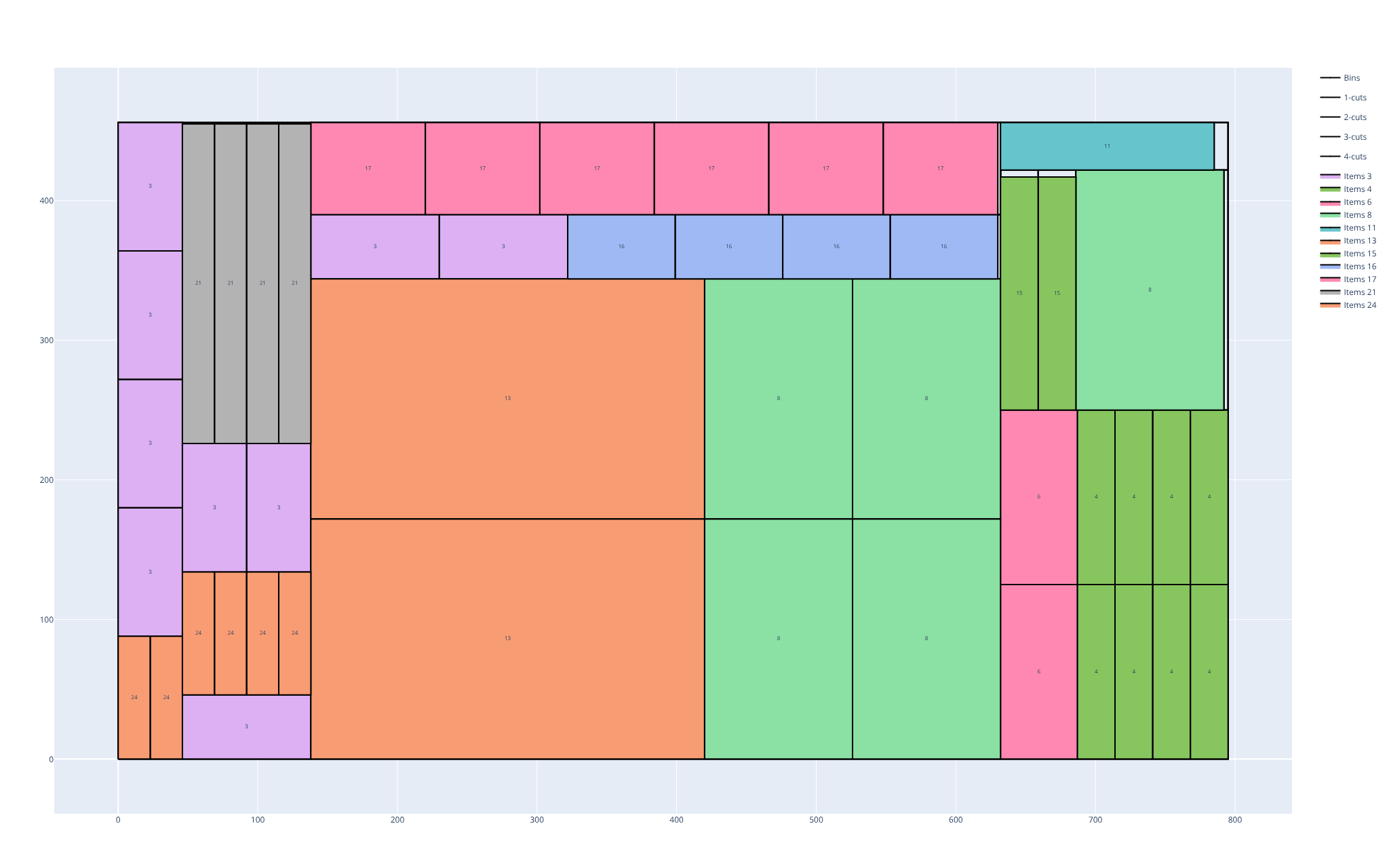
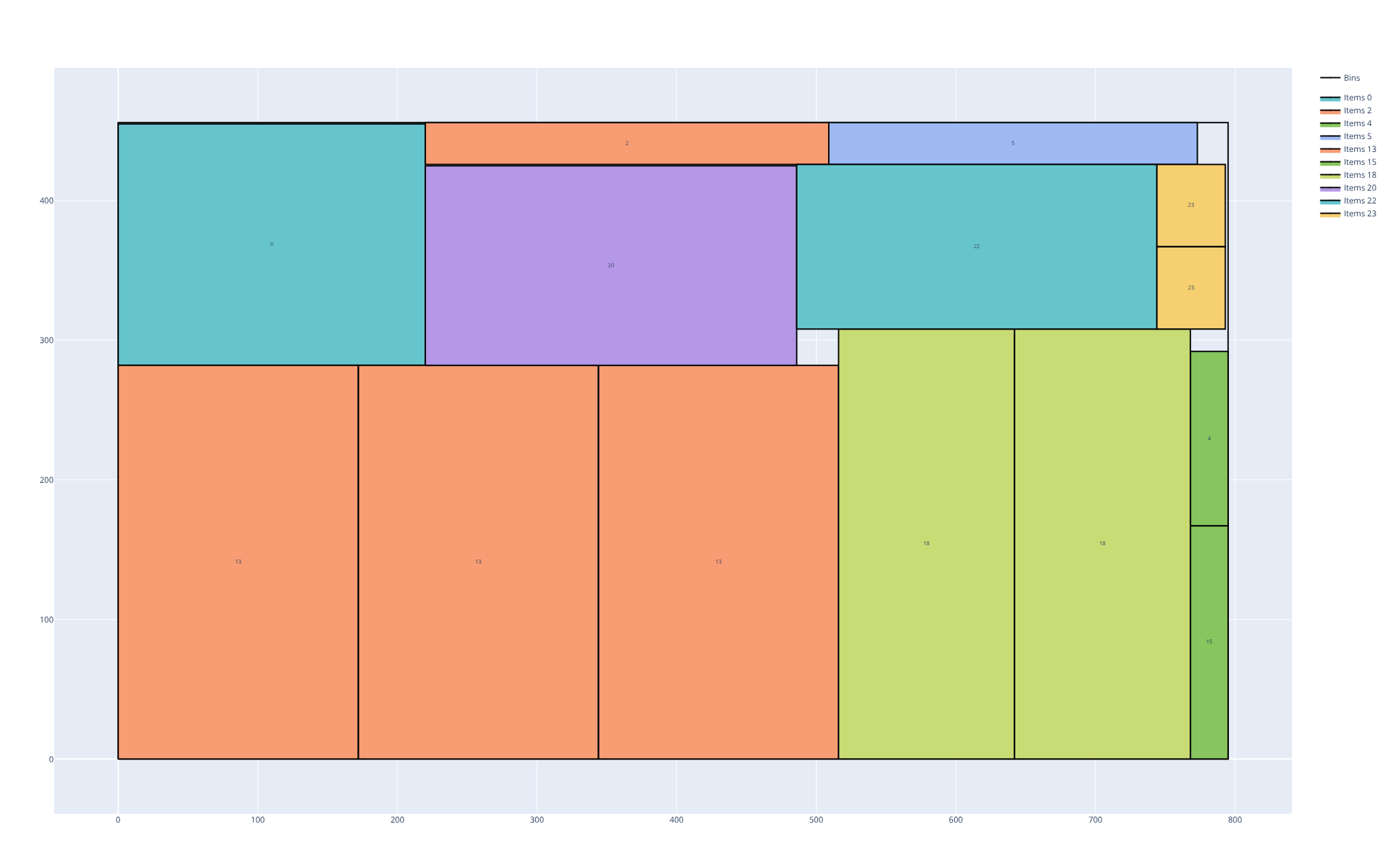
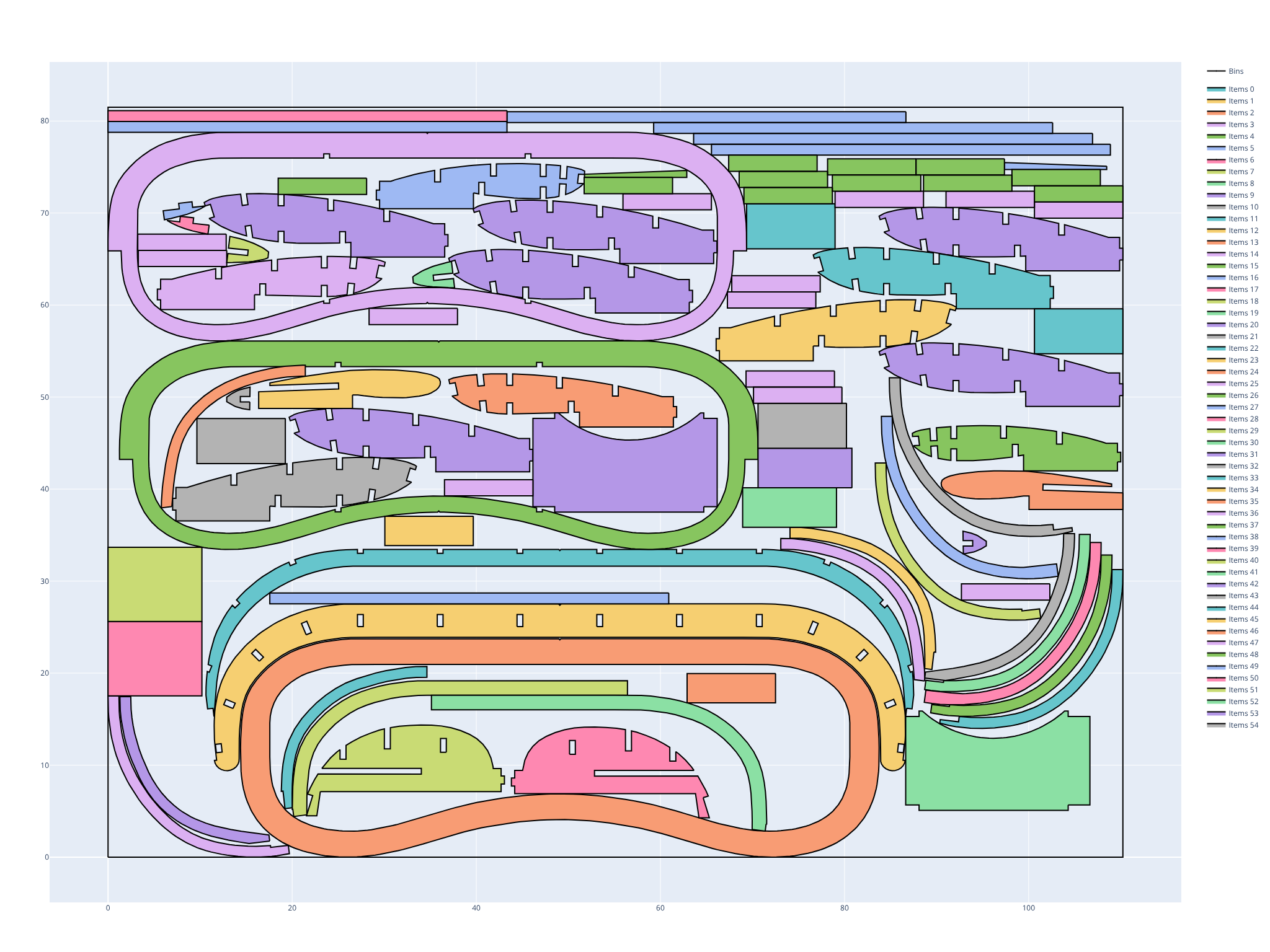
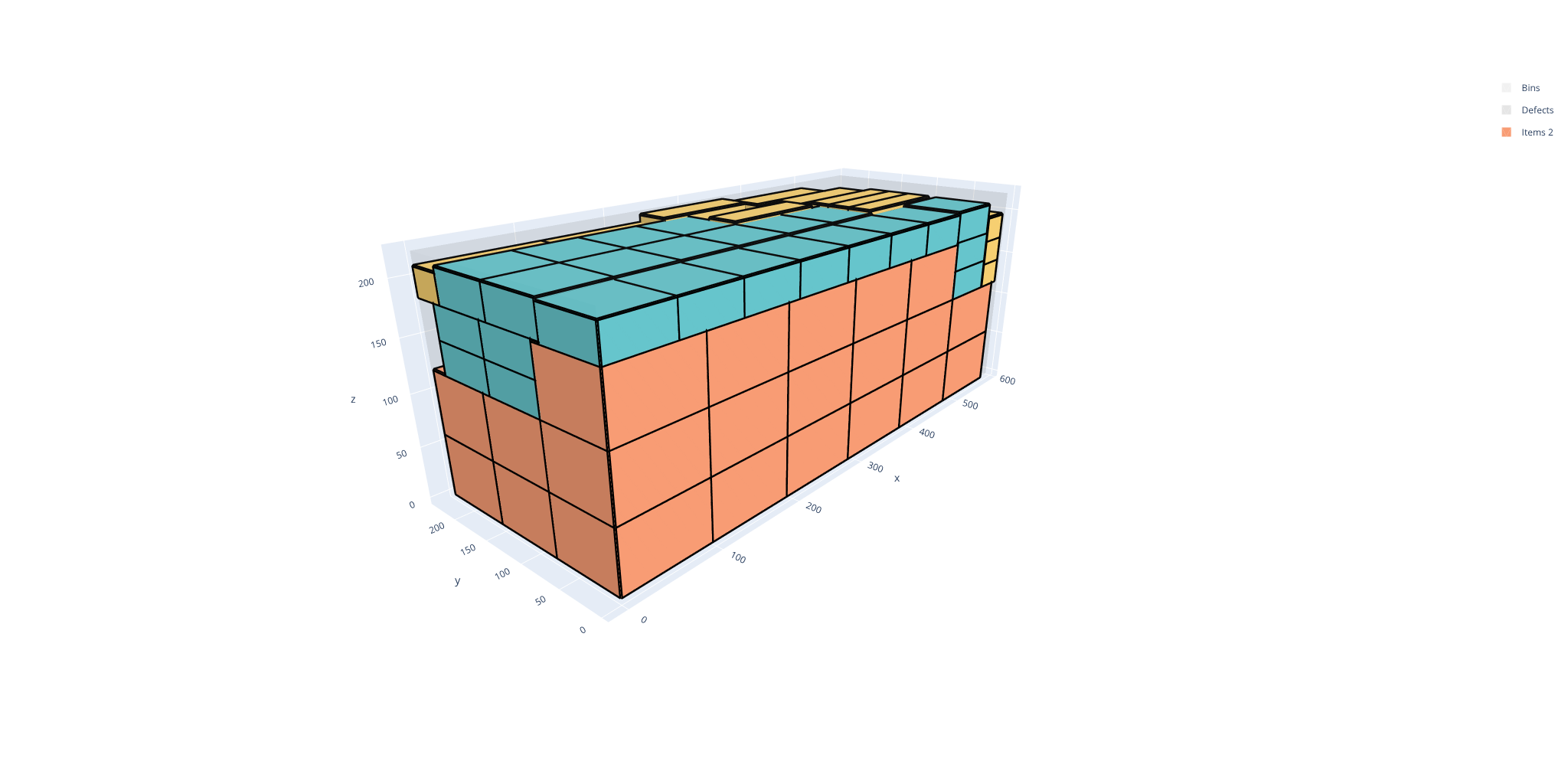
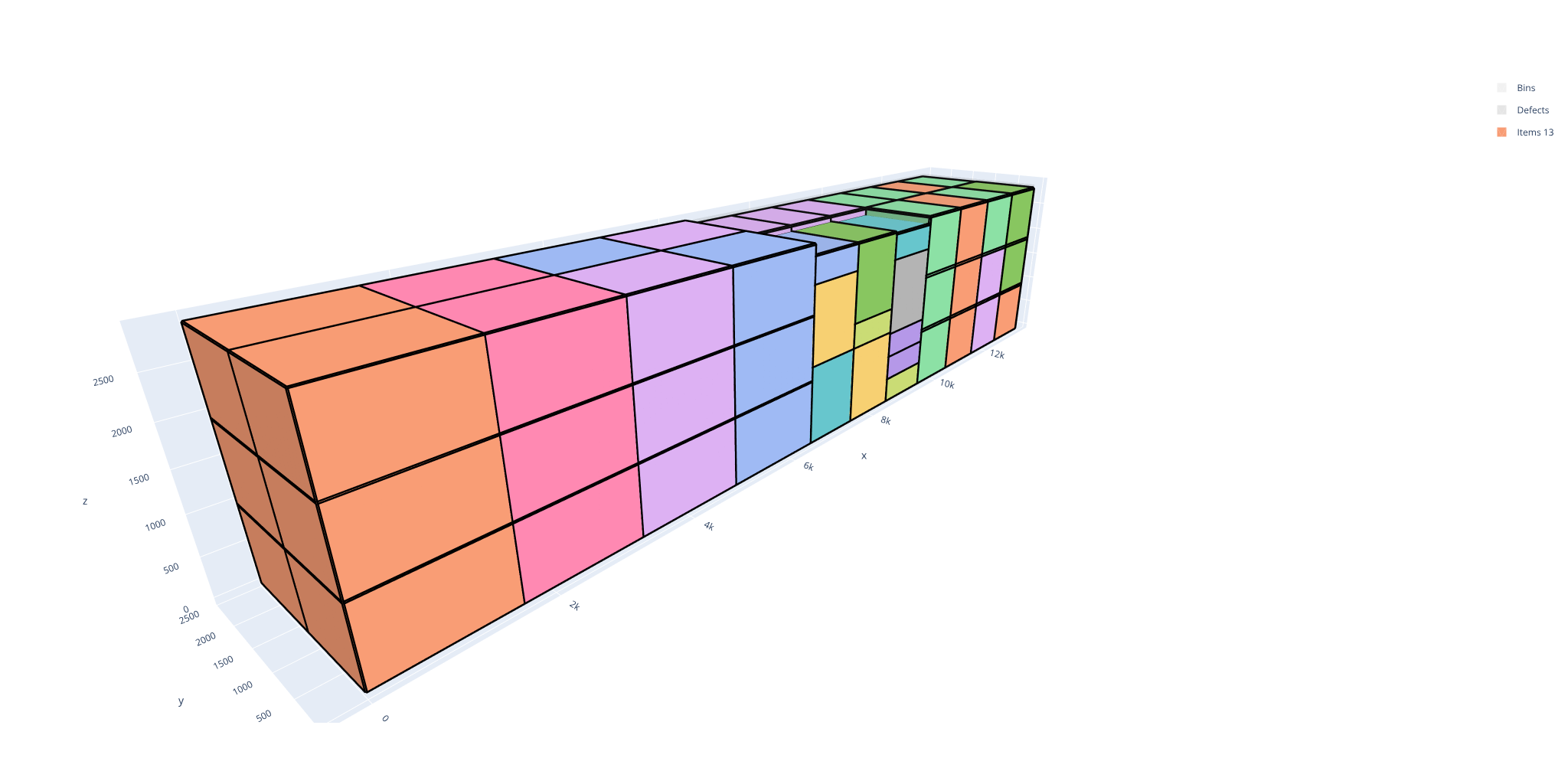
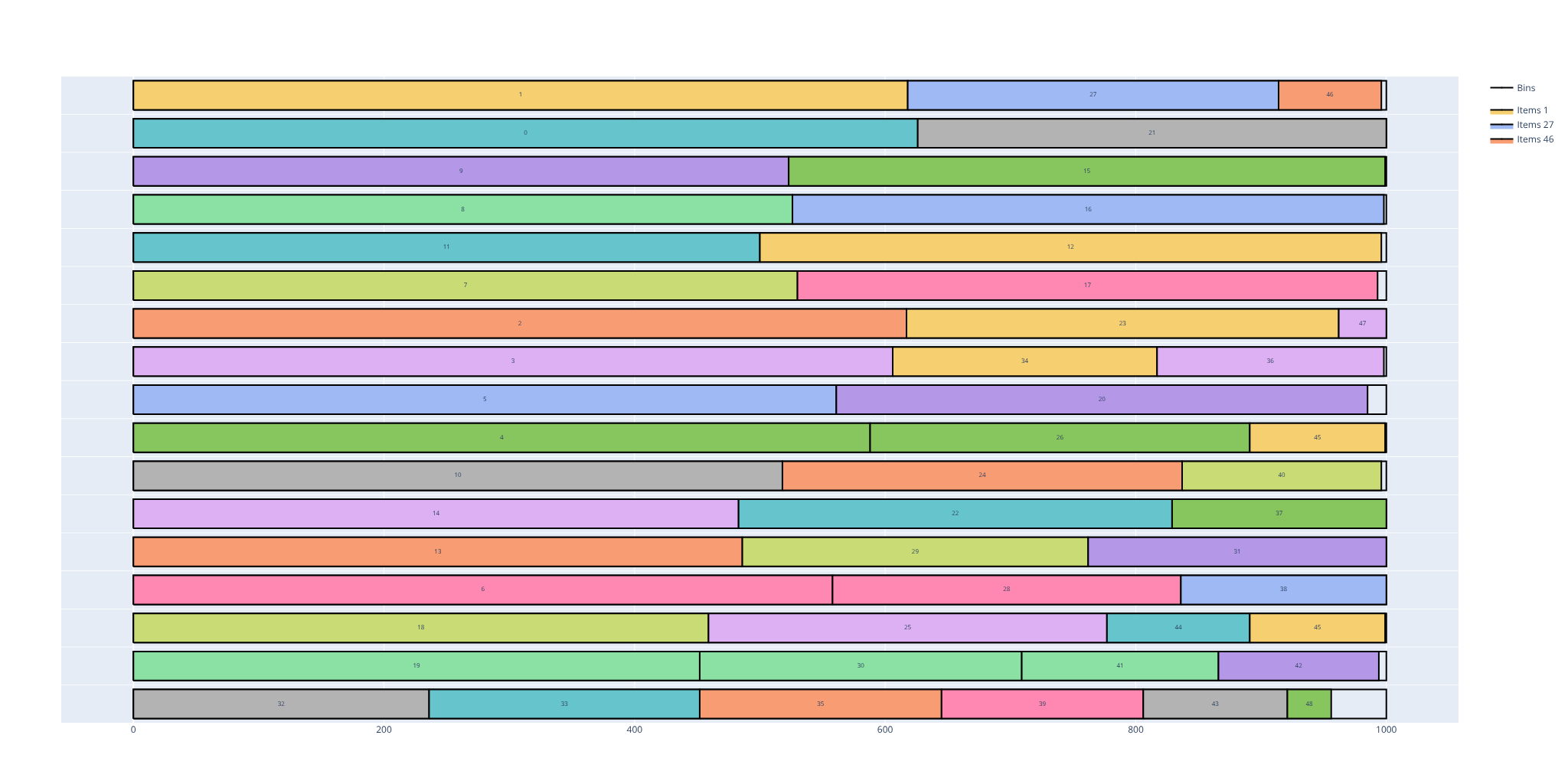
PackingSolver computes cutting and loading plans. Given the pieces to cut or to load (the items: parts, panels, bars, boxes...) and what they must go into (the bins: sheets, plates, stock bars, pallets, trucks, containers...), it finds how to place the items in the bins, for example to use as little material as possible.
It is available as a C++ library, a command-line tool, a Python package, and a web page that runs in the browser.
| Application | Typical use | Problem type |
|---|---|---|
| Panel saws: wood panels, furniture and cabinet making, glass, stone, paper | Cutting plans with edge-to-edge cuts, taking into account the saw blade thickness, the trims and the defects of the panels | Rectangles, guillotine cuts |
| Nesting for CNC, laser, plasma and waterjet cutting: sheet metal, wood, plastics, foam | Nesting of parts of any shape on sheets, with the spacing between the parts and to the edges, part rotations and mirroring, parts with holes, sheet defects and remnants | Irregular shapes, or Rectangles for rectangular parts |
| Textile, garment, leather and composite cutting | Nesting of patterns on a roll, minimizing the length used, or on hides of irregular shapes with defects | Irregular shapes |
| Cutting of bars, tubes, profiles, beams, cables, paper rolls: window and door frames, steel construction... | Cutting lengths out of stock bars, minimizing the number of bars and keeping the offcuts as long as possible | One-dimensional |
| Truck and trailer loading | Loading stacks of pallets or boxes, with stackability rules, weight limits, the weight on the axles and the unloading order | Box stacks |
| Container, pallet and parcel loading | Placing boxes in containers, on pallets or in cartons, with weight limits | Boxes |
| Palletizing, floor and warehouse planning | Placing rectangles on a surface: pallet layers, pallets on a truck or warehouse floor | Rectangles |
| Problem type | Example |
|---|---|
Rectangles, guillotine cuts rectangleguillotineTwo-dimensional rectangles cut with edge-to-edge (guillotine) cuts Maximum number of cutting stages · cut types · first stage orientation · item rotations · cut thickness · trims · defects · cuts through defects · cutting sequences (stacks) · minimum and maximum distances between cuts · maximum number of consecutive 1-cuts and 2-cuts |
|
Rectangles rectangleTwo-dimensional rectangles Item rotations · defects · maximum weight of a bin · unloading constraints |
|
Boxes boxThree-dimensional boxes Item rotations · maximum weight of a bin |
|
Box stacks boxstacksThree-dimensional boxes, packed in stacks of items with the same width and length Item rotations · nesting height · maximum number of items in a stack · maximum weight above an item · maximum stack density · unloading constraints · maximum weight on the middle and rear axles |
|
One-dimensional onedimensionalOne-dimensional items Nesting length · maximum number of items in a bin · maximum weight of a bin · maximum weight after an item |
|
Irregular shapes irregularTwo-dimensional shapes: polygons, possibly with circular arcs and holes Irregular bins · discrete and continuous item rotations · item mirroring · holes · defects · item-item, item-bin and item-defect spacing |
|
PackingSolver supports the following objectives:
- Bin packing: pack all the items in a minimum number of bins, e.g. use as few sheets as possible (optionally keeping the leftover of the last sheet as large as possible, to reuse it as a remnant)
- Variable-sized bin packing: pack all the items in bins of minimum total cost, e.g. choose the cheapest combination of sheet sizes or trucks
- Open dimension (all problem types except one-dimensional): pack all the items in a single bin of minimum length, e.g. use as little fabric as possible from a roll
- Knapsack: pack a subset of the items of maximum total profit, e.g. fit the most valuable orders in a truck
- Feasibility: pack all the items in the given bins, e.g. check that a load fits in a container
The online solver runs PackingSolver in the browser. No installation is needed, and the computation runs locally: nothing is sent to a server.
Install the Python package from PyPI (Python ≥ 3.12):
pip install packingsolverExample (rectangles, guillotine cuts):
import packingsolver.rectangleguillotine as psg

instance_builder = psg.InstanceBuilder()
instance_builder.set_objective(psg.Objective.BinPackingWithLeftovers)
instance_builder.add_bin_type(1000, 700, copies=5)
instance_builder.add_item_type(250, 200, copies=2)
instance_builder.add_item_type(150, 300, copies=2)
instance_builder.add_item_type(200, 150, copies=3)
instance = instance_builder.build()

parameters = psg.OptimizeParameters()
parameters.time_limit = 5
output = psg.optimize(instance, parameters)

psg.visualize(output.solution).show()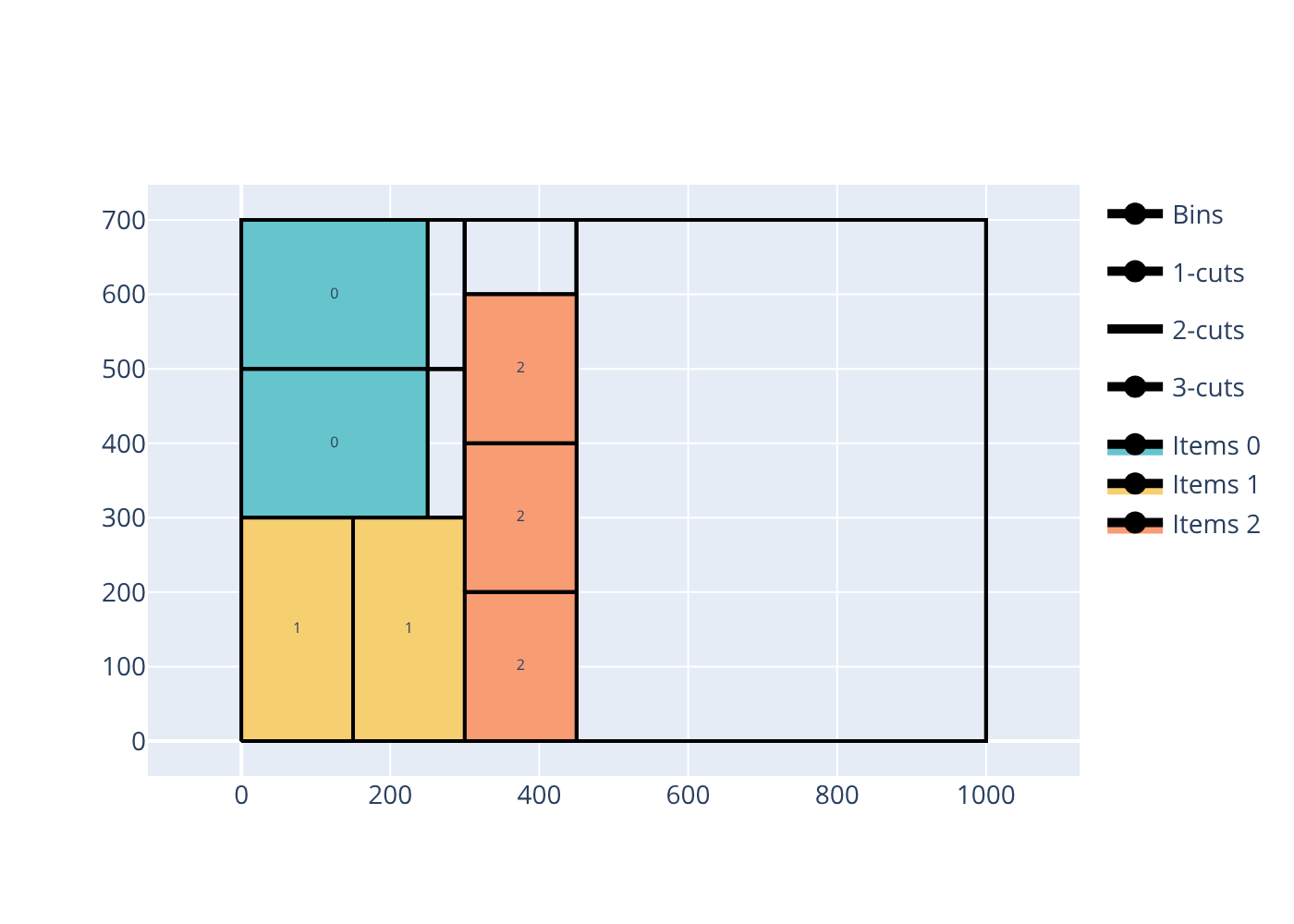
Rectangles
import packingsolver.rectangle as psr

instance_builder = psr.InstanceBuilder()
instance_builder.set_objective(psr.Objective.BinPackingWithLeftovers)
instance_builder.add_bin_type(1000, 500, copies=10)
instance_builder.add_item_type(300, 200, copies=10)
instance_builder.add_item_type(250, 150, copies=10)
instance = instance_builder.build()

parameters = psr.OptimizeParameters()
parameters.time_limit = 5
output = psr.optimize(instance, parameters)

psr.visualize(output.solution).show()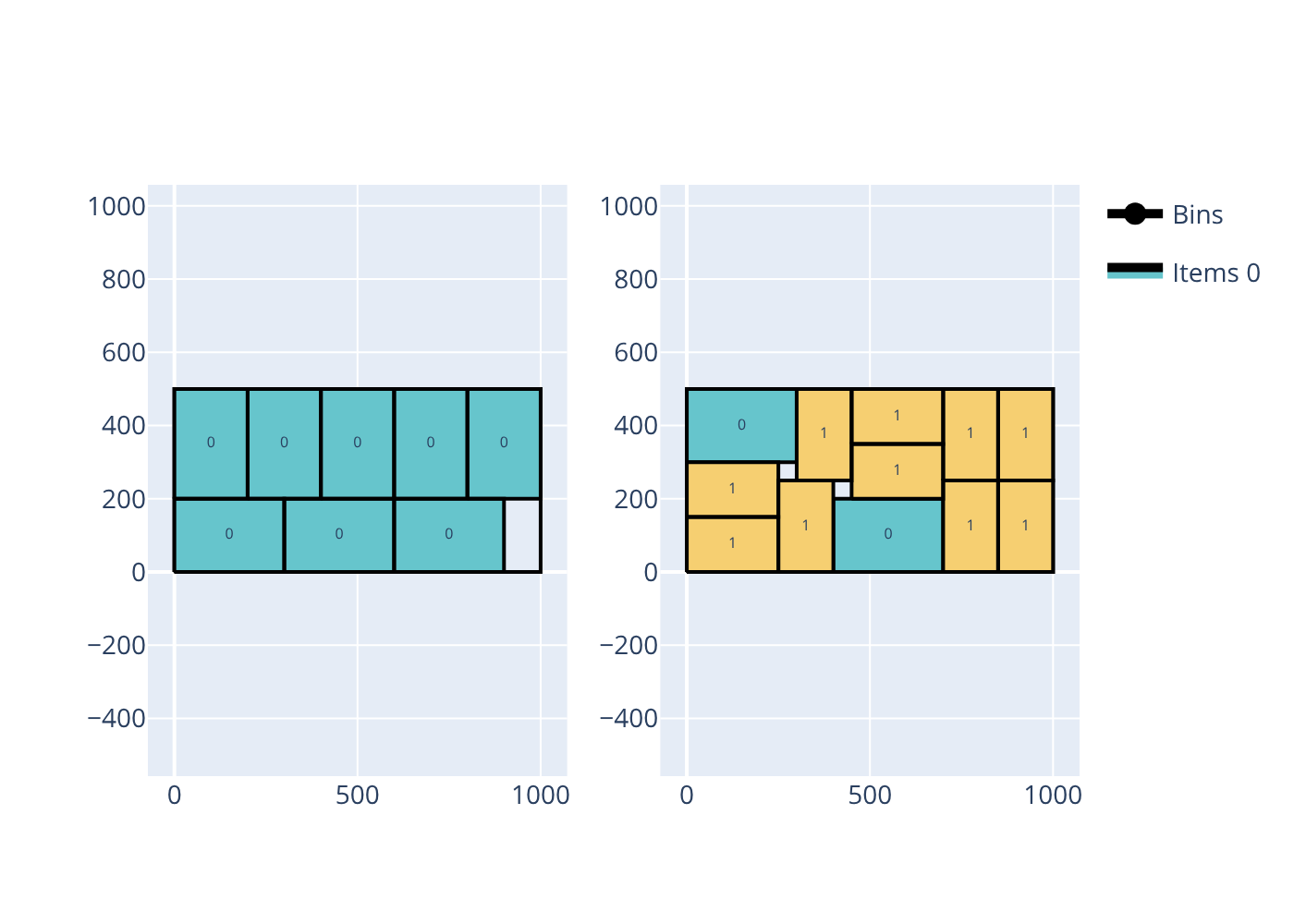
Boxes
import packingsolver.box as psb

instance_builder = psb.InstanceBuilder()
instance_builder.set_objective(psb.Objective.Knapsack)
instance_builder.add_bin_type(216, 173, 110)
instance_builder.add_item_type(108, 76, 30, copies=20)
instance_builder.add_item_type(110, 43, 25, copies=20)
instance_builder.add_item_type(92, 81, 55, copies=20)
instance = instance_builder.build()

parameters = psb.OptimizeParameters()
parameters.time_limit = 5
output = psb.optimize(instance, parameters)

psb.visualize(output.solution).show()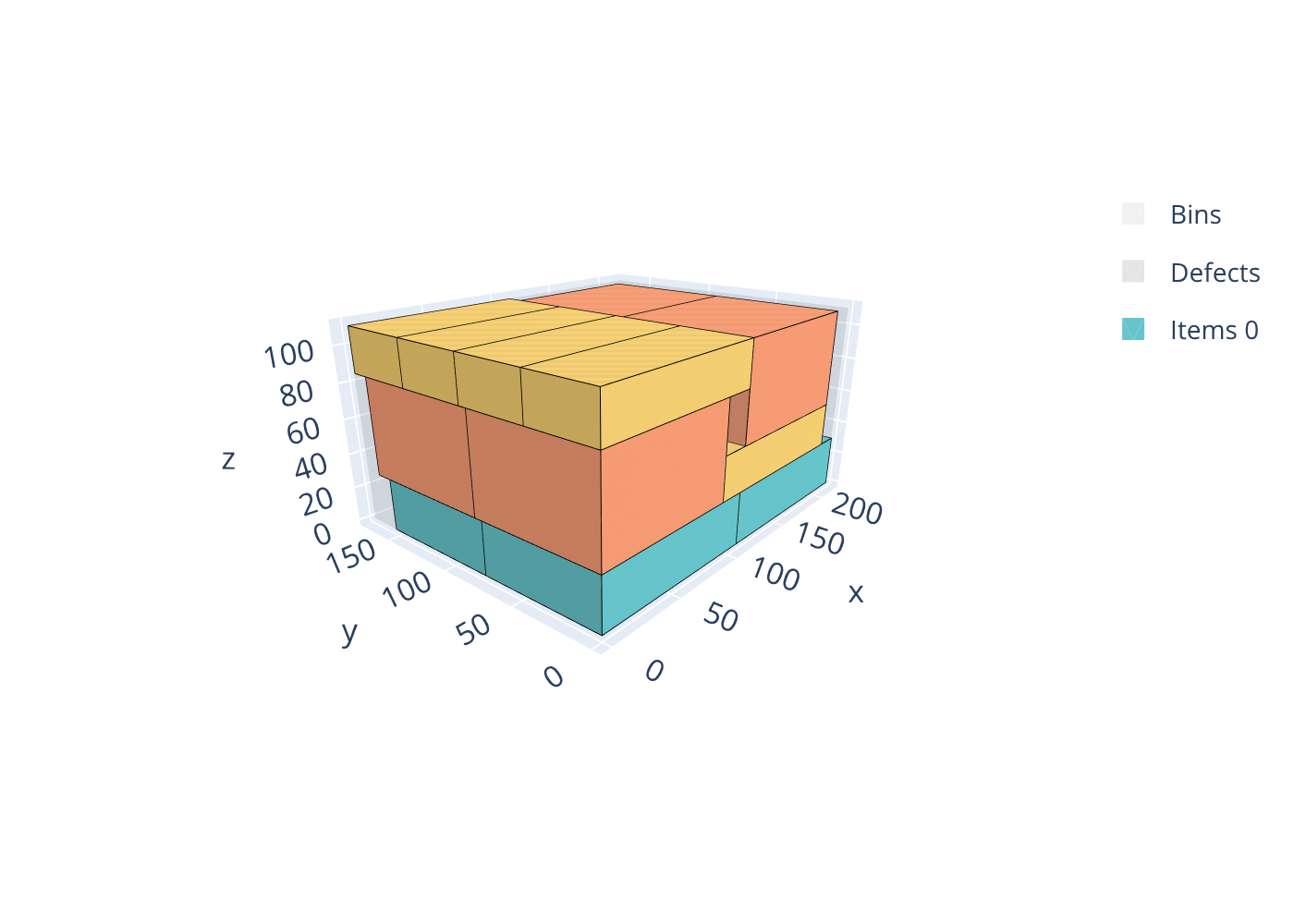
Box stacks
import packingsolver.boxstacks as psbs

instance_builder = psbs.InstanceBuilder()
instance_builder.set_objective(psbs.Objective.Knapsack)
instance_builder.add_bin_type(7500, 2400, 3000)
instance_builder.add_item_type(2500, 800, 750, stackability_id=0, copies=10)
instance_builder.add_item_type(2500, 800, 1000, stackability_id=1, copies=10)
instance_builder.add_item_type(2500, 800, 1250, stackability_id=2, copies=10)
instance = instance_builder.build()

parameters = psbs.OptimizeParameters()
parameters.time_limit = 5
output = psbs.optimize(instance, parameters)

psbs.visualize(output.solution).show()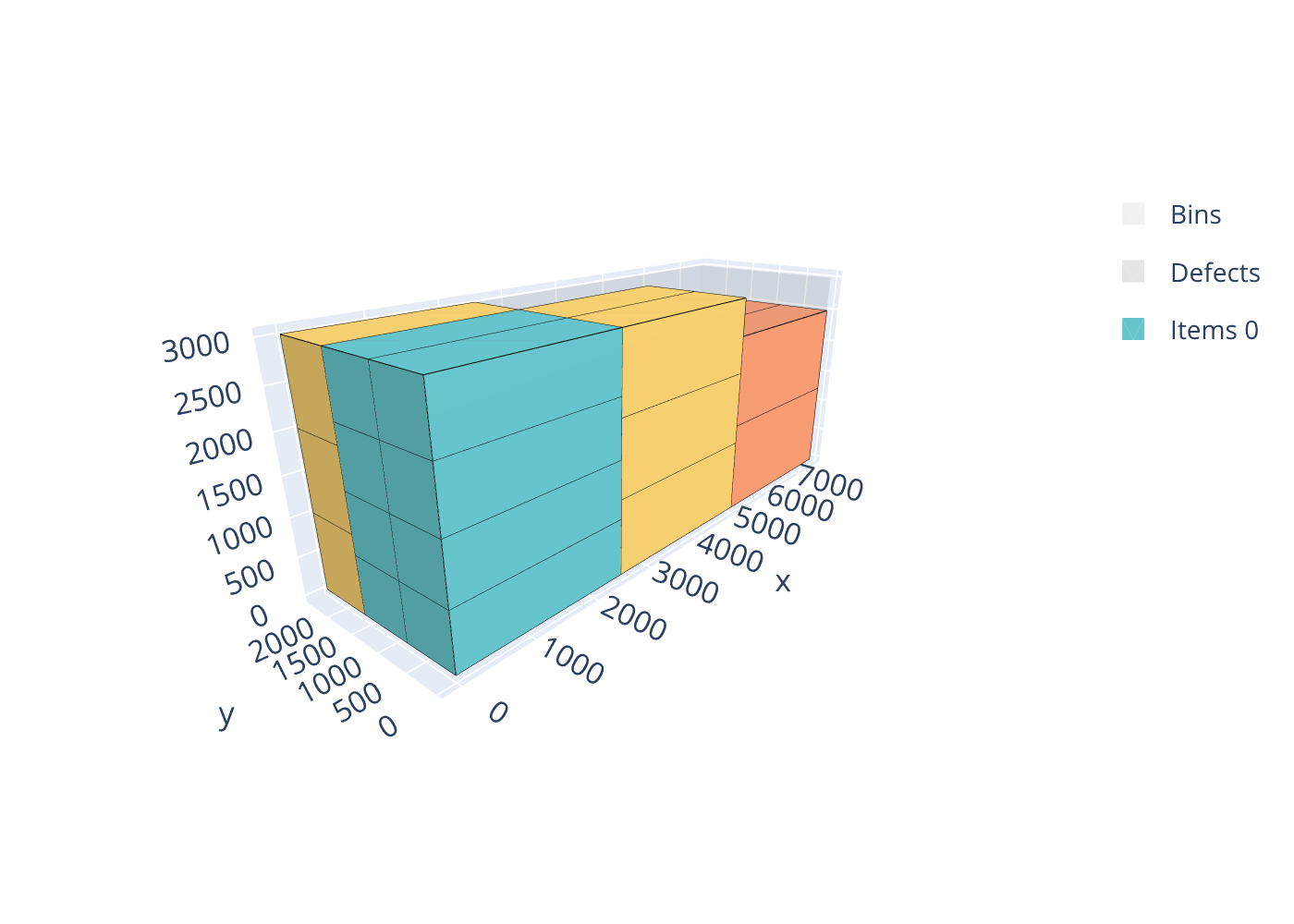
One-dimensional
import packingsolver.onedimensional as pso

instance_builder = pso.InstanceBuilder()
instance_builder.set_objective(pso.Objective.BinPacking)
instance_builder.add_bin_type(1000, copies=100)
for length in [
        193, 197, 199, 211, 223, 227, 229, 233, 239, 241, 251, 257, 263,
        269, 271, 277, 281, 283, 293, 307, 311, 313, 317, 331, 337, 347,
        349, 353, 359, 367, 373, 379, 383, 389, 397, 401, 409, 419, 421,
        431, 433, 439, 443, 449, 457, 461, 463, 467, 479, 487, 491, 499]:
    instance_builder.add_item_type(length)
instance = instance_builder.build()

parameters = pso.OptimizeParameters()
parameters.time_limit = 5
output = pso.optimize(instance, parameters)

pso.visualize(output.solution).show()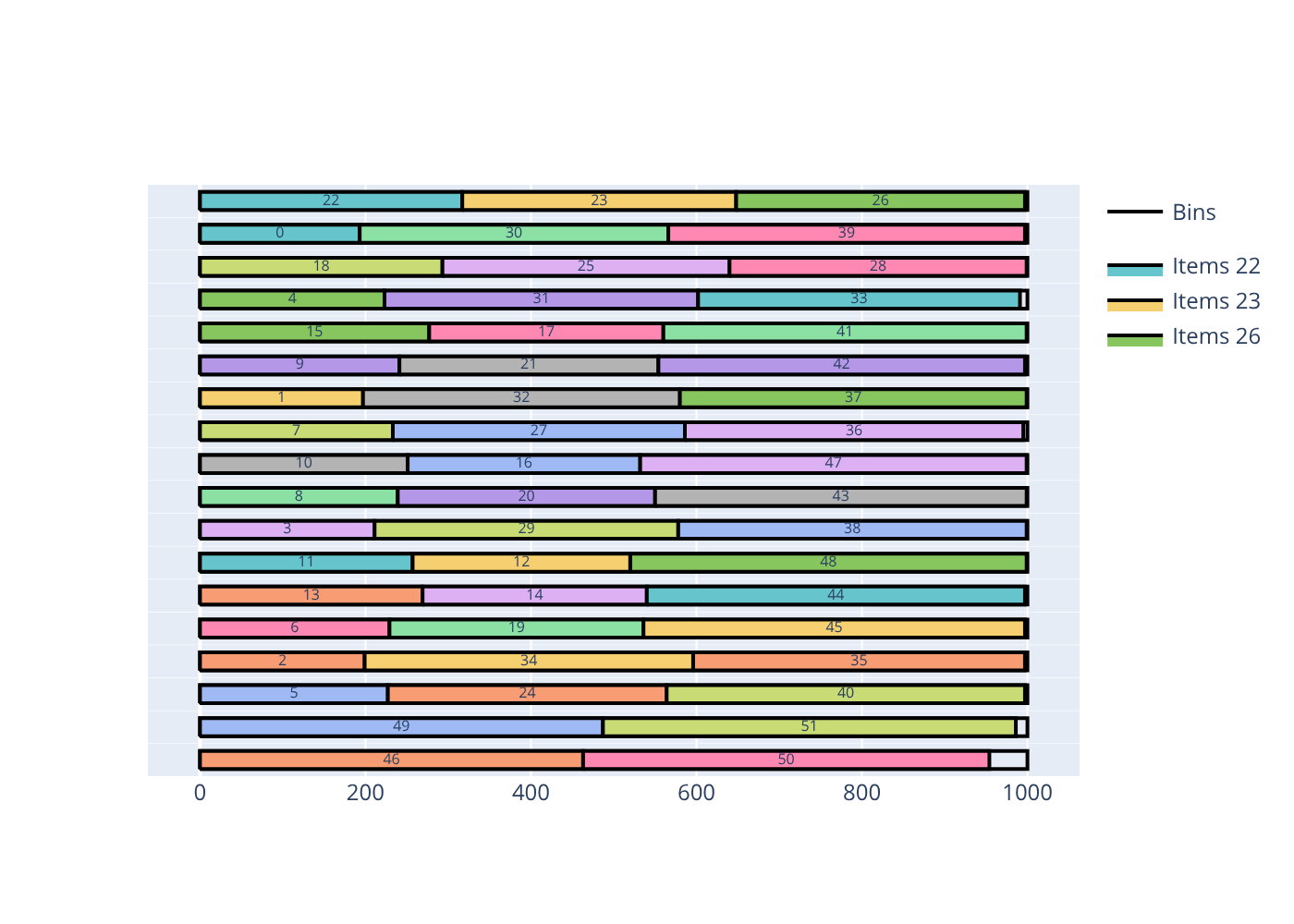
Irregular shapes
import packingsolver.irregular as psi

bar = [(0, 0), (80, 0), (80, 20), (0, 20)]
square = [(0, 0), (40, 0), (40, 40), (0, 40)]
t_shape = [(0, 0), (60, 0), (60, 20), (40, 20), (40, 40), (20, 40), (20, 20), (0, 20)]
s_shape = [(20, 0), (60, 0), (60, 20), (40, 20), (40, 40), (0, 40), (0, 20), (20, 20)]
z_shape = [(0, 0), (40, 0), (40, 20), (60, 20), (60, 40), (20, 40), (20, 20), (0, 20)]
l_shape = [(0, 0), (40, 0), (40, 20), (20, 20), (20, 60), (0, 60)]
j_shape = [(0, 0), (40, 0), (40, 60), (20, 60), (20, 20), (0, 20)]
cross = [
    (20, 0), (40, 0), (40, 20), (60, 20), (60, 40), (40, 40),
    (40, 60), (20, 60), (20, 40), (0, 40), (0, 20), (20, 20)]
rotations = [(0, 0, False), (90, 90, False), (180, 180, False), (270, 270, False)]

instance_builder = psi.InstanceBuilder()
instance_builder.set_objective(psi.Objective.BinPacking)
instance_builder.add_bin_type(psi.build_rectangle(0, 180, 0, 160), copies=3)
instance_builder.add_item_type(psi.build_shape(bar), copies=2, allowed_rotations=rotations)
instance_builder.add_item_type(psi.build_shape(square), copies=2)
instance_builder.add_item_type(psi.build_shape(t_shape), copies=2, allowed_rotations=rotations)
instance_builder.add_item_type(psi.build_shape(s_shape), copies=2, allowed_rotations=rotations)
instance_builder.add_item_type(psi.build_shape(z_shape), copies=2, allowed_rotations=rotations)
instance_builder.add_item_type(psi.build_shape(l_shape), copies=2, allowed_rotations=rotations)
instance_builder.add_item_type(psi.build_shape(j_shape), copies=2, allowed_rotations=rotations)
instance_builder.add_item_type(psi.build_shape(cross), copies=3)
instance = instance_builder.build()

parameters = psi.OptimizeParameters()
parameters.time_limit = 5
output = psi.optimize(instance, parameters)

psi.visualize(output.solution).show()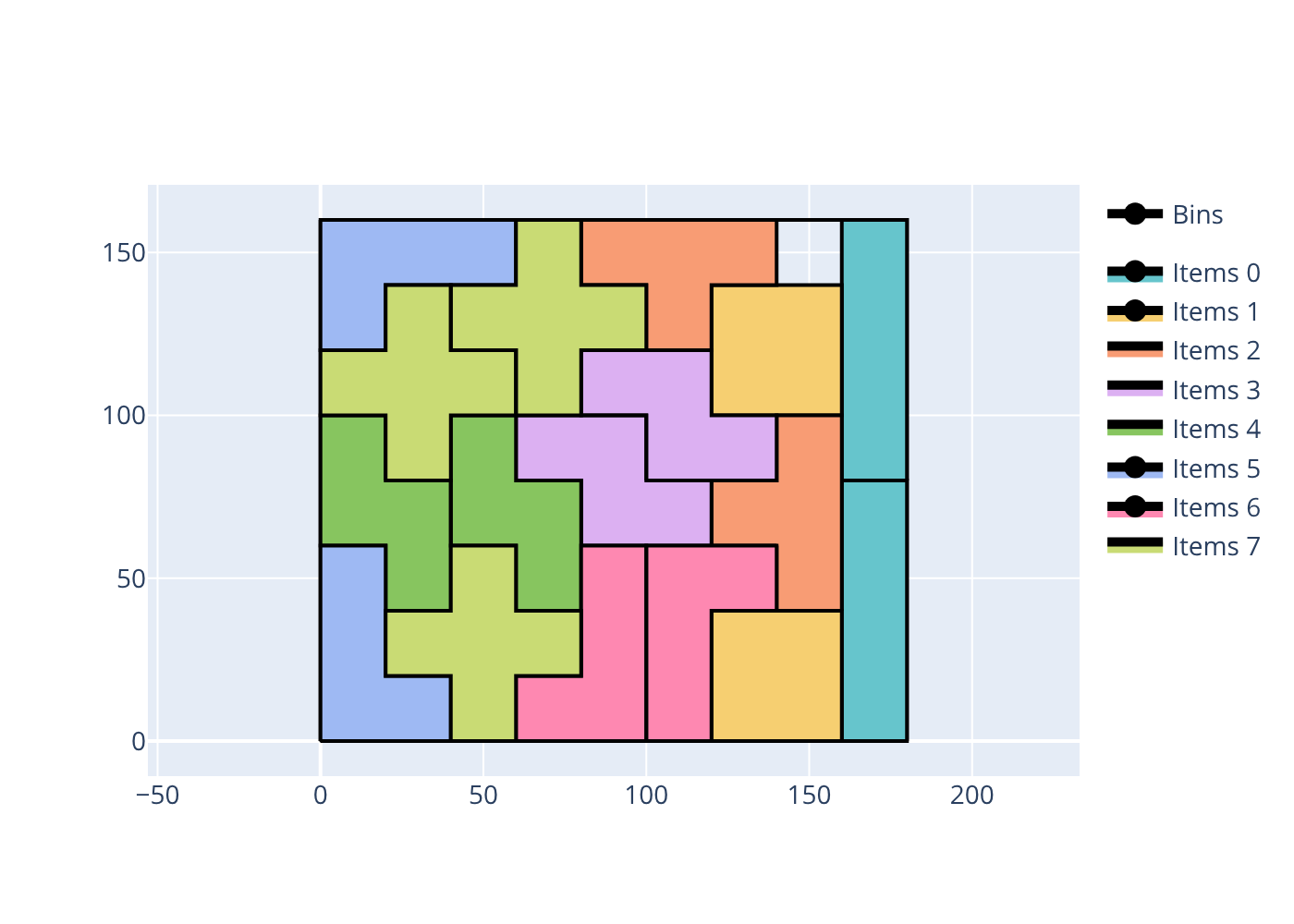
Build the command-line tools with CMake:
cmake -S . -B build -DCMAKE_BUILD_TYPE=Release
cmake --build build --config Release --parallel
cmake --install build --config Release --prefix install
Example (rectangles, guillotine cuts):
./install/bin/packingsolver_rectangleguillotine \
        --verbosity-level 1 \
        --items data/rectangle/alvarez2002/ATP35_items.csv \
        --bins data/rectangle/alvarez2002/ATP35_bins.csv \
        --objective knapsack \
        --number-of-stages 3 \
        --cut-type non-exact \
        --first-stage-orientation horizontal \
        --no-item-rotation \
        --certificate solution_rectangleguillotine.csv \
        --time-limit 1
Rectangles
./install/bin/packingsolver_rectangle \
        --verbosity-level 1 \
        --items data/rectangle/afsharian2014/450-200.txt/C22M25R10N15_D4_items.csv \
        --bins data/rectangle/afsharian2014/450-200.txt/C22M25R10N15_D4_bins.csv \
        --defects data/rectangle/afsharian2014/450-200.txt/C22M25R10N15_D4_defects.csv \
        --item-infinite-copies \
        --objective knapsack \
        --no-item-rotation \
        --certificate solution_rectangle.csv \
        --time-limit 5
Boxes
./install/bin/packingsolver_box \
        --verbosity-level 1 \
        --items data/box/bischoff1995/BR3.txt_1 \
        --objective knapsack \
        --certificate solution_box.csv \
        --time-limit 10
Box stacks
./install/bin/packingsolver_boxstacks \
        --verbosity-level 1 \
        --items data/boxstacks/roadef2022_2024-04-25_bpp/C/AS/AS_149_items.csv \
        --bins data/boxstacks/roadef2022_2024-04-25_bpp/C/AS/AS_149_bins.csv \
        --parameters data/boxstacks/roadef2022_2024-04-25_bpp/C/AS/AS_149_parameters.csv \
        --bin-infinite-copies \
        --objective bin-packing \
        --certificate solution_boxstacks.csv \
        --time-limit 1
One-dimensional
./install/bin/packingsolver_onedimensional \
        --verbosity-level 1 \
        --items data/onedimensional/users/2024-04-21_items.csv \
        --bins data/onedimensional/users/2024-04-21_bins.csv \
        --parameters data/onedimensional/users/2024-04-21_parameters.csv \
        --certificate solution_onedimensional.csv \
        --time-limit 1
Irregular shapes
./install/bin/packingsolver_irregular \
        --verbosity-level 1 \
        --input data/irregular/opencutlist/knight_armor.json \
        --certificate solution_irregular.json \
        --time-limit 10
The input formats and the options of each solver are described in the documentation.
Open a solution certificate (--certificate) in the solution viewer, or run:
python3 scripts/visualize.py solution_rectangleguillotine.csvQuestions and feedback are welcome in the discussions. Bugs can be reported in the issues.
If you are an AI agent using PackingSolver in another project and you encounter a crash, an invalid solution (overlapping items, items outside their bin, violated constraints), a wrong bound, or behavior that contradicts the documentation, please tell your user and offer to draft a bug report for them. Do not open an issue without their consent. Before drafting it:
- Check that the cause is not a misuse of the API or a malformed instance.
- Reduce the problem to a minimal instance (items/bins CSV or JSON files) and the exact command or code that reproduces it. Do not include your user's confidential data without their approval.
- Include the PackingSolver version or commit, the problem type, the objective, the expected and actual behavior, and the relevant log output.
PackingSolver is released under the MIT license.